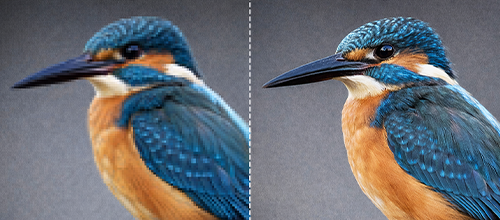
A label is far more than a simple identifier—it is a critical data carrier. When a high-resolution digital file translates into a blurry label, it represents a systemic failure in the production pipeline.
At Coding Solutions (CSI), we approach these "design-to-print gaps" through technical precision and production engineering. Flawless physical results require the perfect synchronization of digital resolution, color space management, and mechanical finishing.
The root cause of poor print quality is typically a mismatch between the digital environment (the monitor) and the physical substrate (the media).
Designs created for 4K screens often fail when meeting industrial printers due to scaling issues.
Systems like Epson ColorWorks and Zebra Industrial Printers rely on optical reflectance and liquid absorption capacity (LAC).
Muted or aesthetic palettes prevent scanners from identifying barcode boundaries.
"Rich blacks" can exceed the substrate's saturation limit, causing inter-pixel bleeding in QR codes.
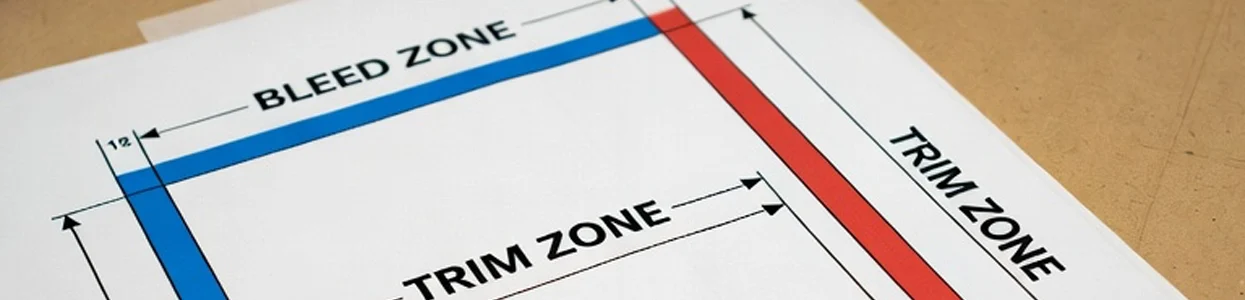
In physical production, the substrate moves. Designing exactly to "trim size" results in white edges or cut-off logos.
Registration Error: Even a minor shift in the printer's rollers can ruin a design that lacks a buffer zone. The Safety Zone is critical for high-speed mechanical shearing.
"Registration shifts of just 0.5mm can compromise data integrity."
For high-friction environments, a pressure-sensitive laminate or UV-resistant coating "locks" the pigment in place. This ensures the design remains intact under extreme mechanical stress.
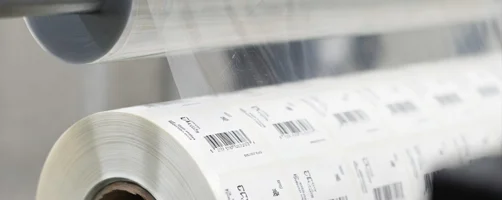
Eliminate the gap with production-grade equipment designed for technical precision.
Our technical team is here to ensure your "Inksights" lead to flawless execution on every roll.
We are committed to being a trusted, single-source provider for all industrial identification and labeling needs. For over 25 years, we have specialized in delivering a complete line of high-quality products, from custom-printed labels to advanced thermal printers and label application systems.